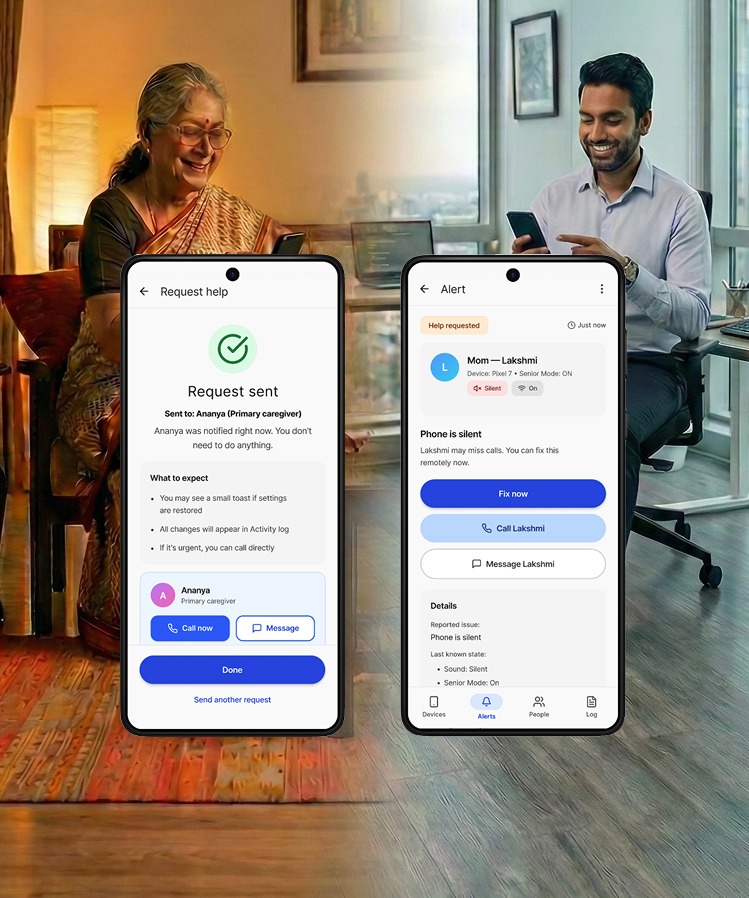
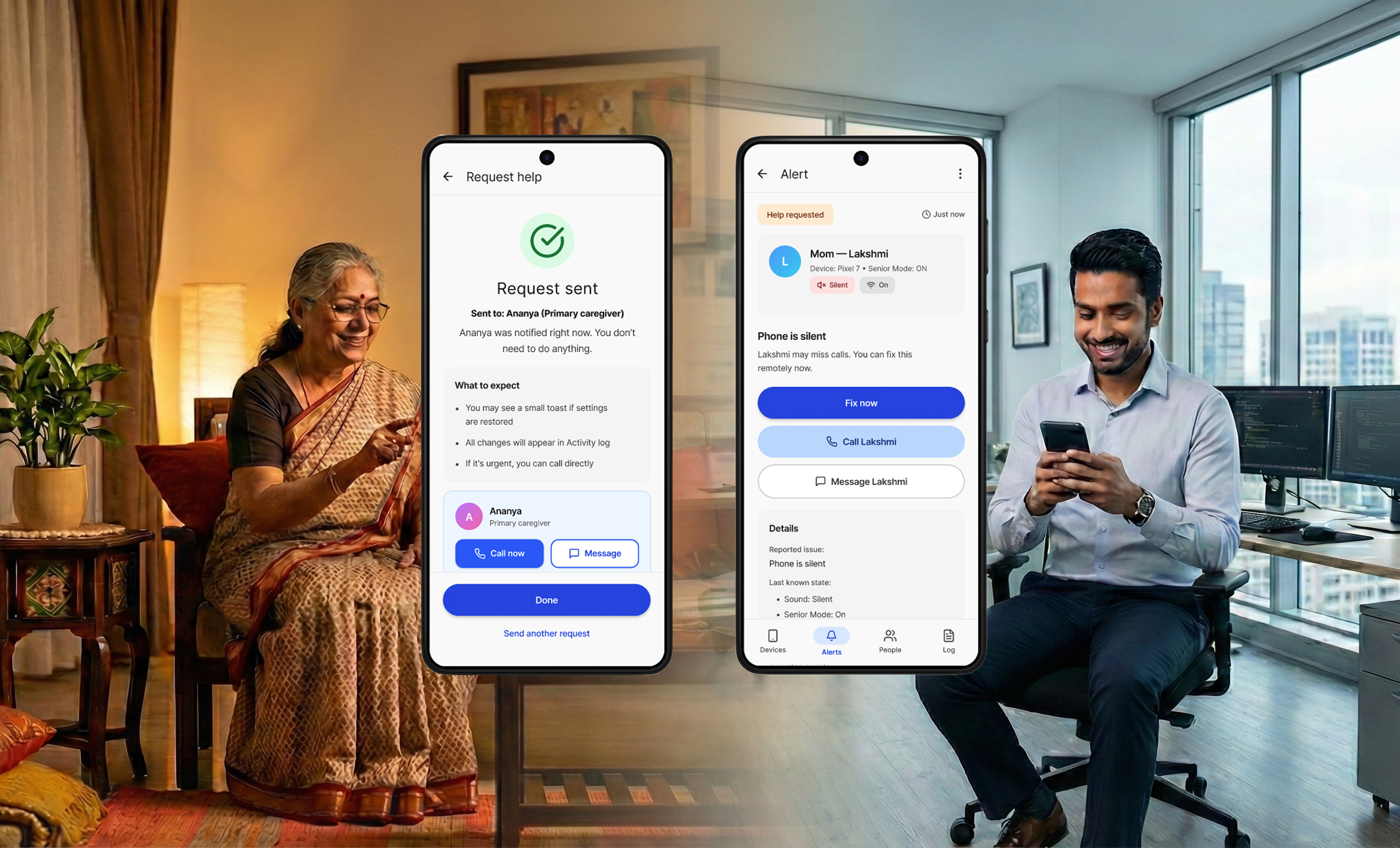
Senior Mode for Android
Make critical phone state obvious + enable one-tap recovery when accidental setting changes happen.
Make critical phone state obvious + enable one-tap recovery when accidental setting changes happen.
Product Designer — end-to-end
Research + interaction/UI + prototyping + usability testing + iteration
Android (concept) + Figma interactive prototype
Seniors (60–<80) + caregivers (adult children / helpers)
~1.5 months
Remote moderated usability testing
10 seniors + 8 caregivers (India)
Senior Mode simplifies the smartphone experience to reduce anxiety and support load, validated through iterative testing with seniors and caregivers.
I kept seeing the same pattern (including in my own family): a senior accidentally changes a setting (often Silent, sometimes Wi-Fi, brightness, or rotate) and then everything spirals.
Senior experience
“Something is wrong. I don’t want to touch it.” Confusion turns into paralysis.
Caregiver experience
Missed calls, anxiety, repeated troubleshooting, and time lost doing remote "phone support."
Root issue
Phones hide critical device state behind gestures and subtle UI cues. Seniors don’t fail because they’re “not smart.” They fail because the system doesn’t make state and recovery obvious.
Design goal: Reduce communication blackouts by making phone state (especially sound) instantly legible for seniors and enabling fast, transparent caregiver recovery when something breaks.
Design Principles
Make the phone’s status obvious
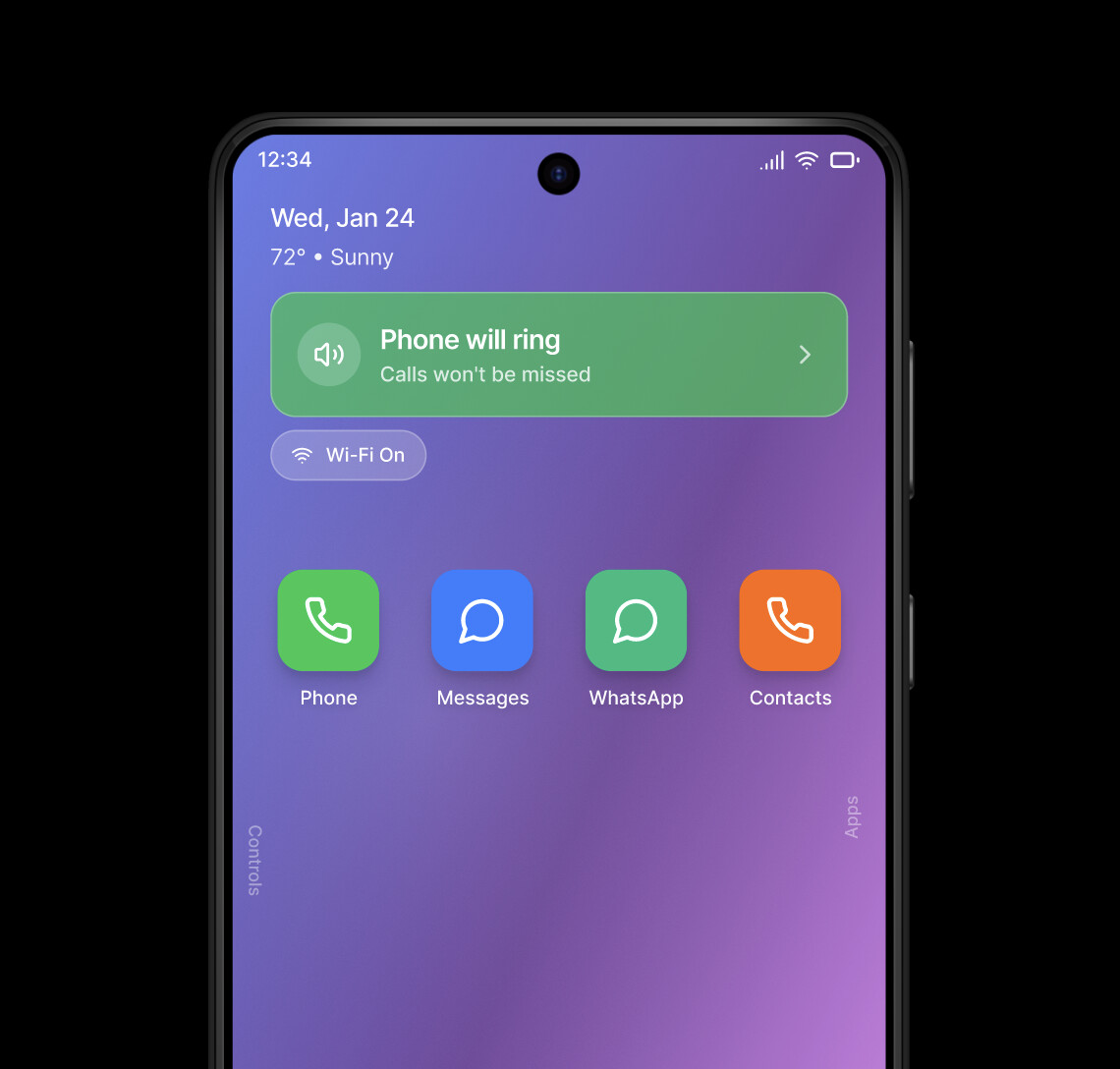
Seniors shouldn’t have to interpret toggles—critical state like “Will my phone ring?” must be visible in plain language.
Offer one clear next step
When something goes wrong, the UI should present a single, safe action (fix it now / request help), not multiple paths.
Build trust with transparency
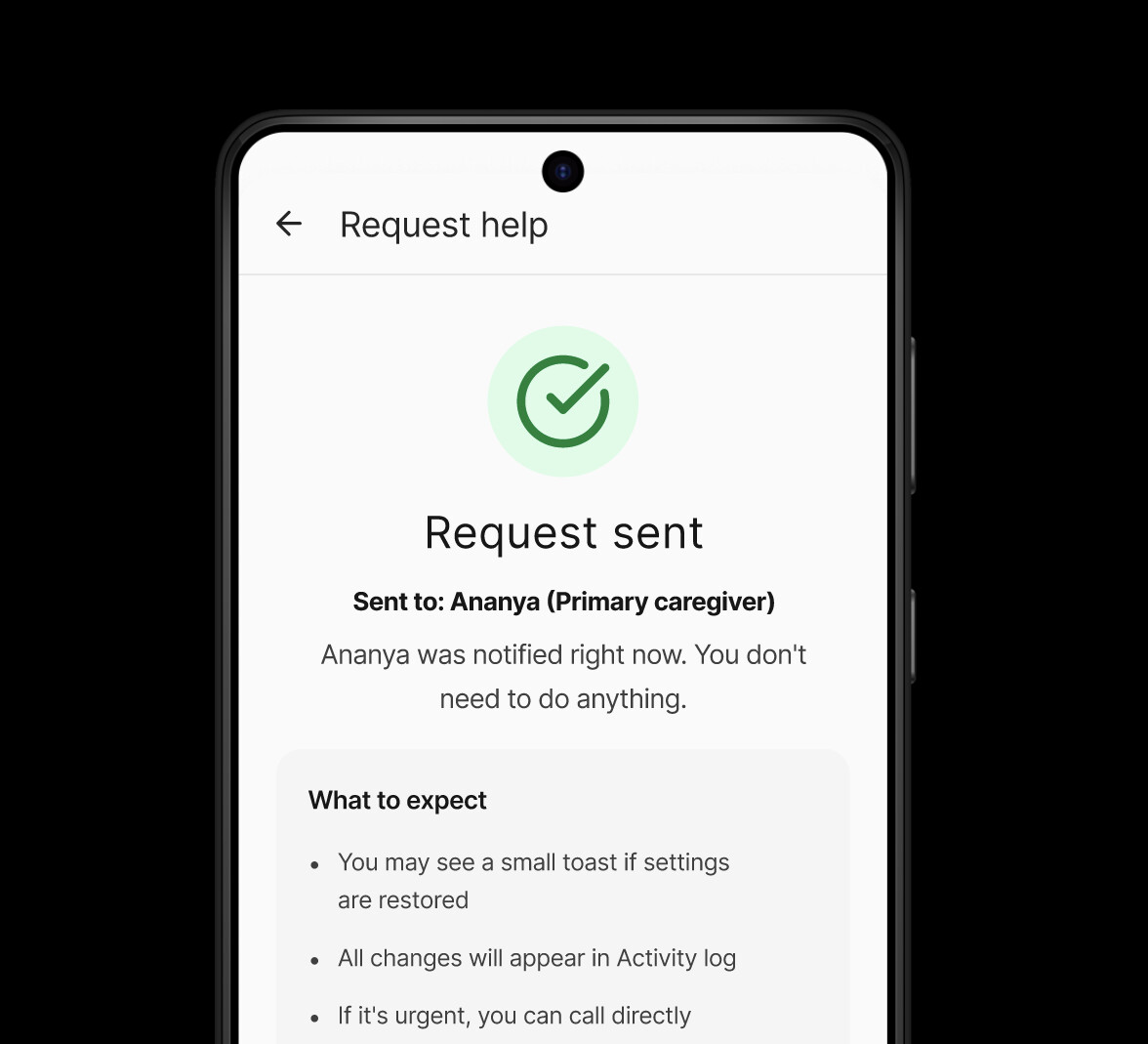
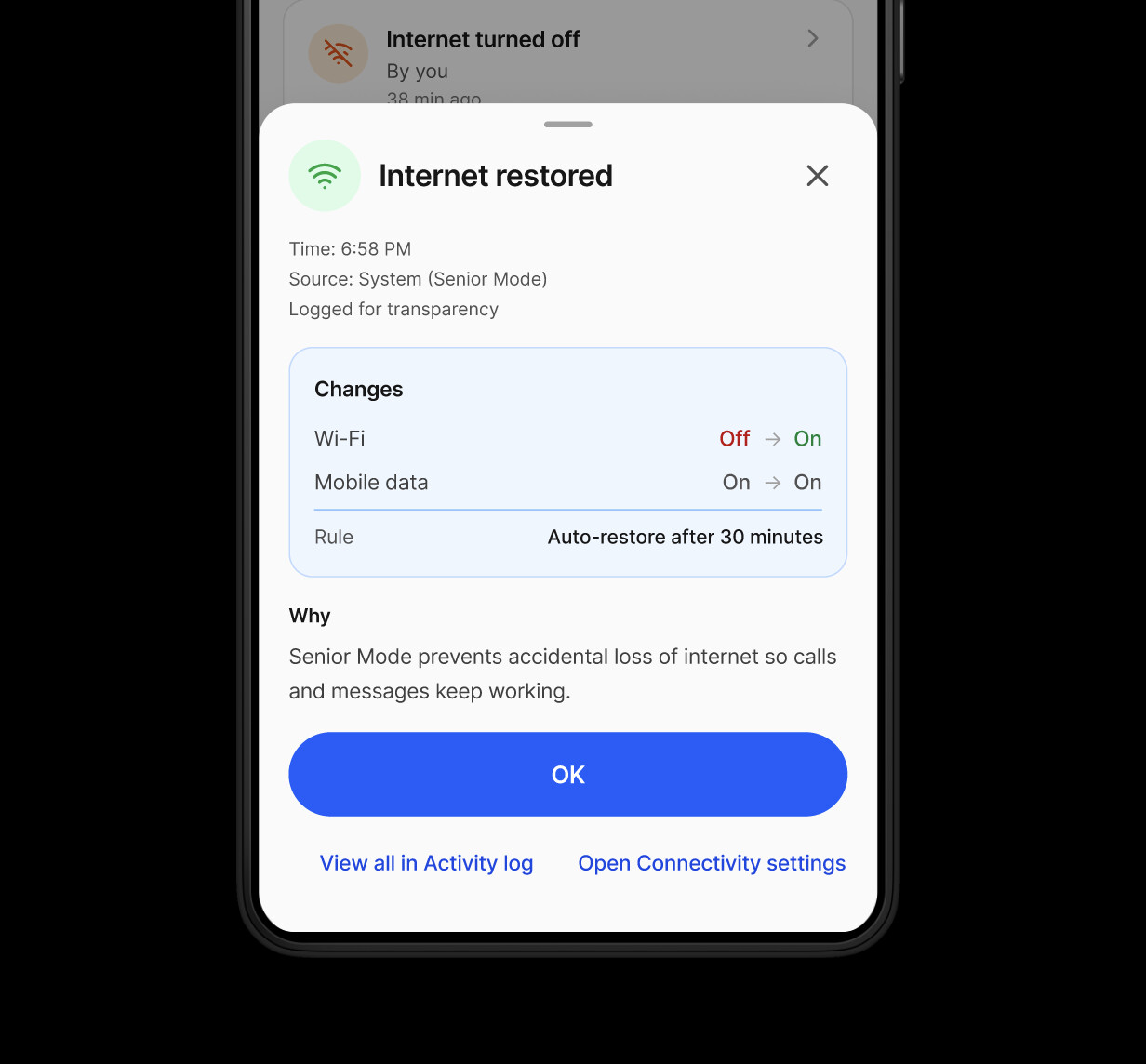
Caregiver help should never feel “mysterious”—show what changed, who changed it, and give the user control (log / disable help).
Key Decisions
Make sound state explicit on “Home” and “Controls”
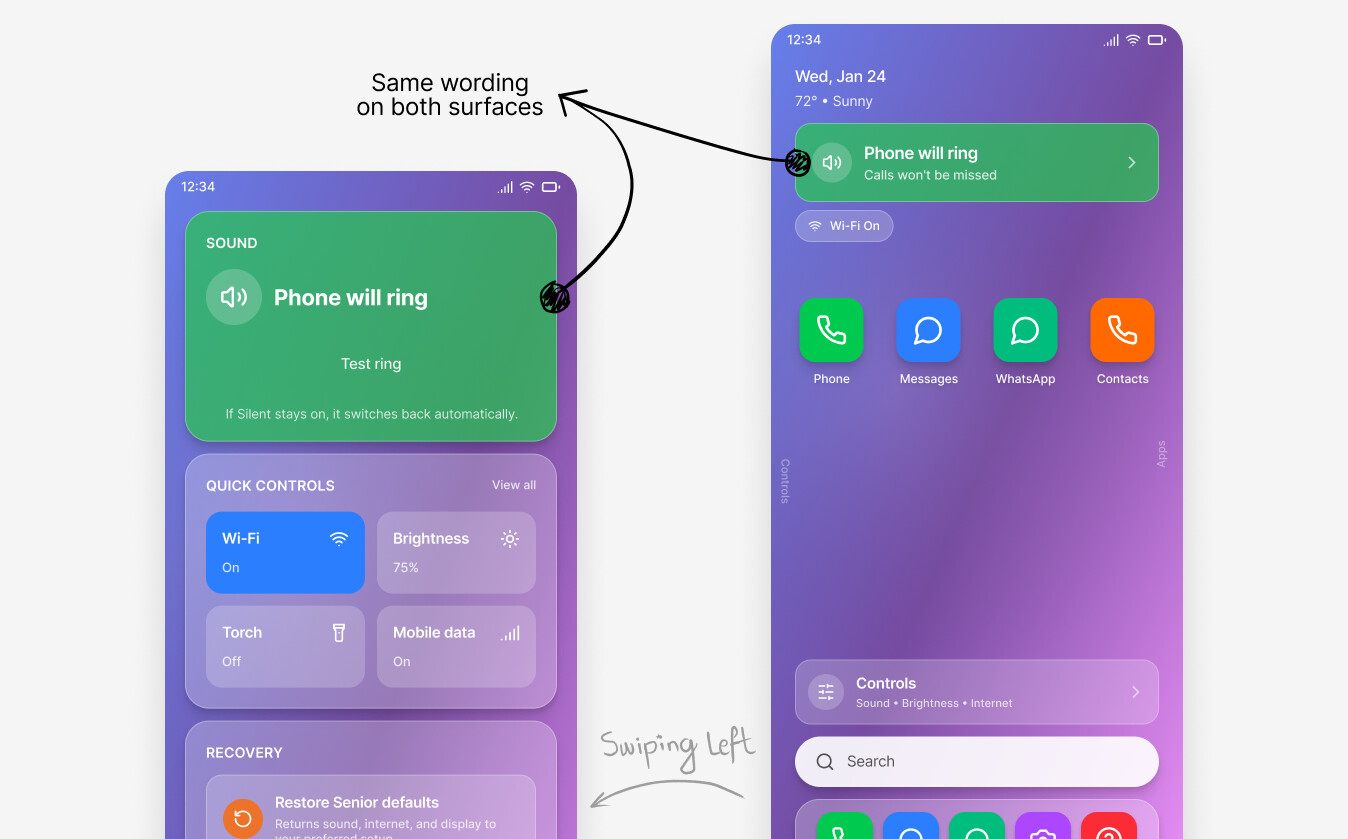
Surface “Phone will ring / Phone is silent” as readable language, not subtle UI state.
Rationale
V1 showed seniors struggled with state interpretation, especially around Silent/Ringing—your core JTBD.
Tradeoff
Uses premium screen space; slightly less “clean” than stock Android minimalism.
Evidence
V1 blocker task (S2) dropped to 70% pass and drove most assistance; V2 micro-test restored state recognition to 100% on key surfaces.
Fix discoverability: add an explicit “Controls” entry (not swipe-only)
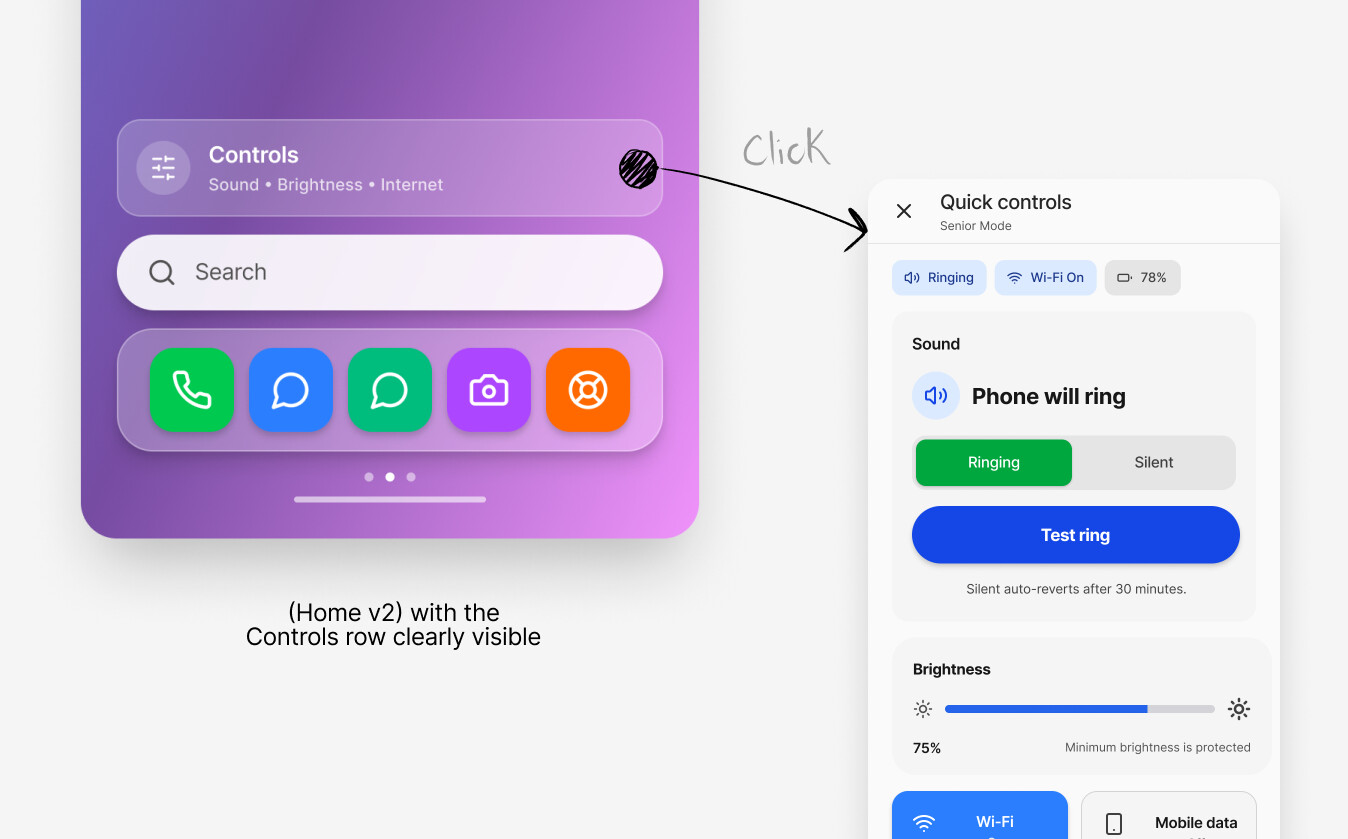
Provide a visible Controls entry on Home so seniors aren’t required to discover a gesture.
Rationale
Hidden interactions (swipe/scroll) caused avoidable friction in V1.
Tradeoff
More UI elements competing for attention; Home must stay calm.
Evidence
V2 micro-test showed discoverability improved, but some users still tried Search/top status first—so the Controls entry is necessary, not sufficient.
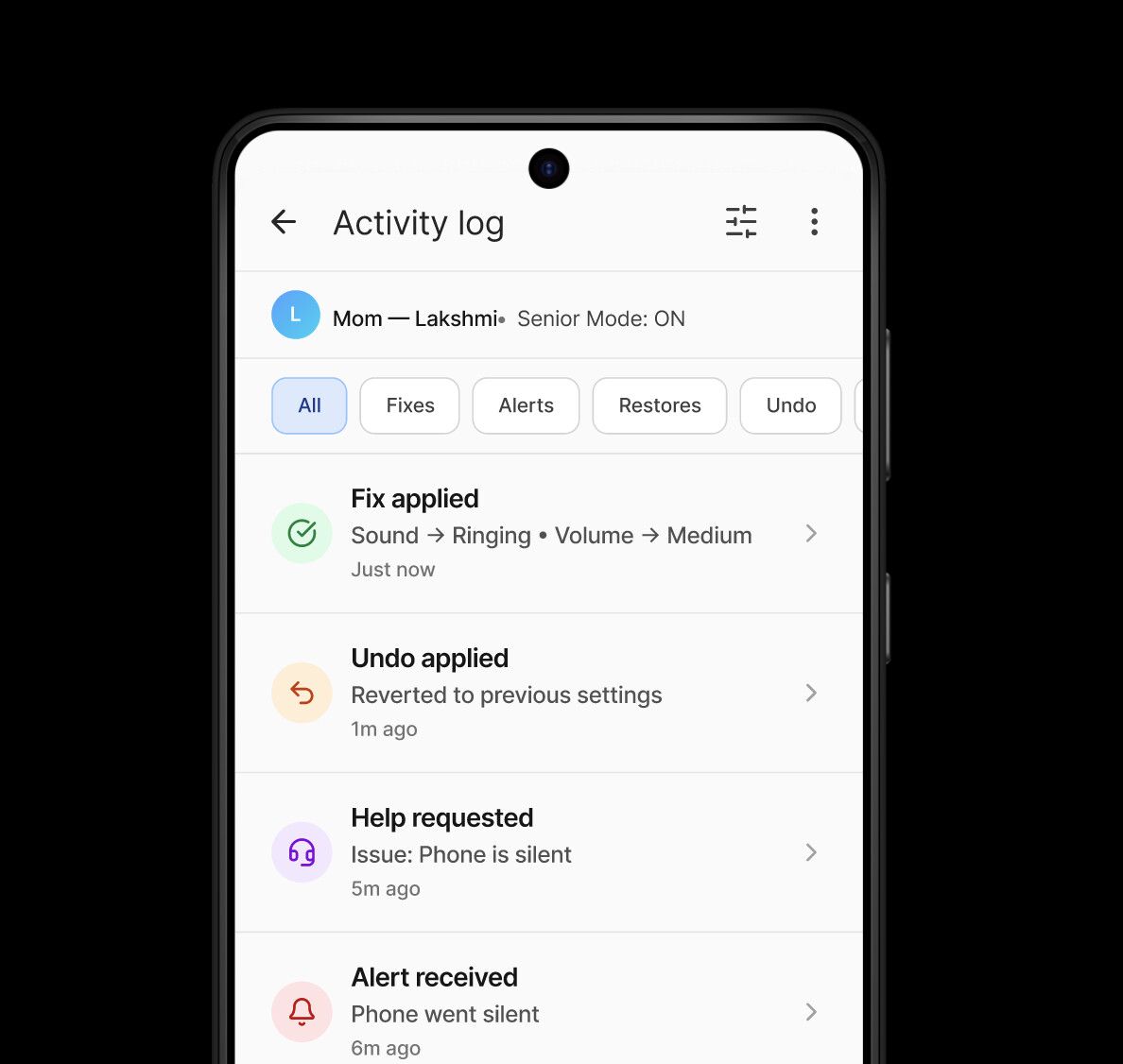
Caregiver fixes apply instantly (for “safe” fixes), with audit + undo
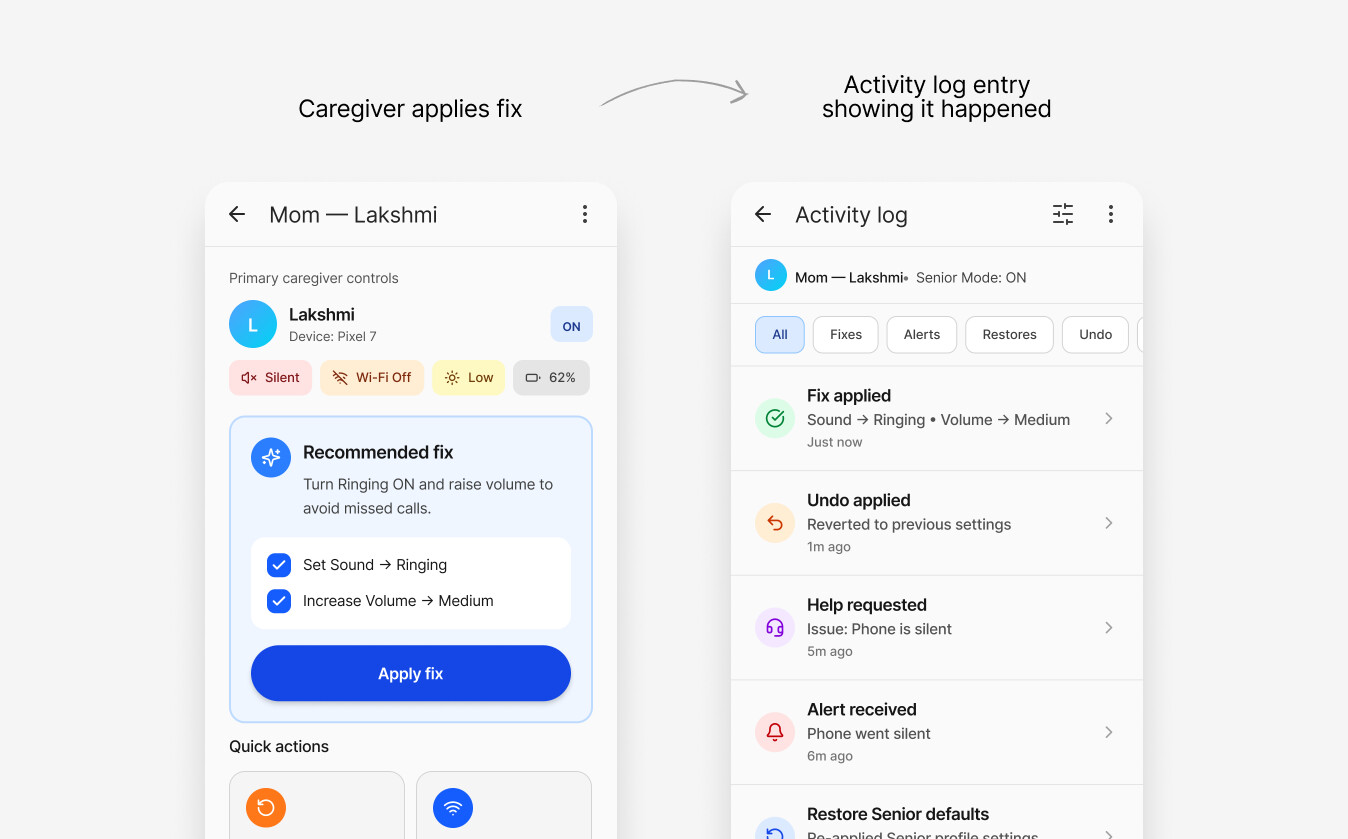
Allow caregivers to apply fixes immediately for low-risk changes (ringer/brightness), and log it on both devices.
Rationale
The caregiver’s job is rapid recovery; delays increase stress and missed communication.
Tradeoff
Reduces senior autonomy in the moment—so trust and reversibility must be explicit.
Evidence
Testing synthesis recommends instant apply for safe fixes and adding “what will change” clarity + undo window cues.
What the testing proved (and where it broke)
Round 1(full usability)
Overall pass rate across senior tasks, but one blocker dominated: fixing Silent via Quick Controls (S2).
pass rate across caregiver tasks; confidence ~5.6/7.
Low device-familiarity seniors had 25% pass on S2 and 100% required help—this is the core risk segment you’re designing for.
I iterated on the existing designs based on the round one test outcome
Iteration
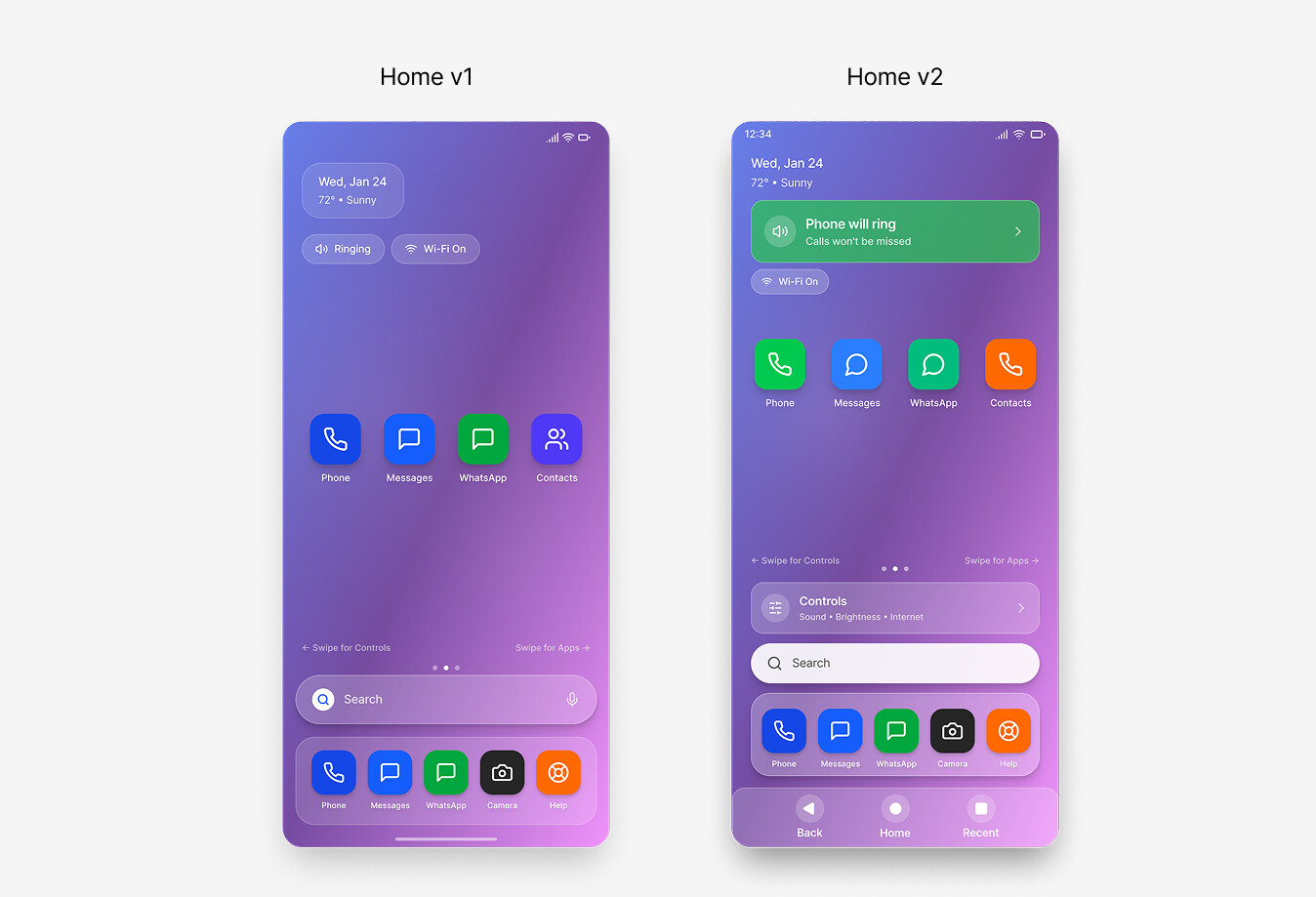
Made “Will my phone ring?” impossible to miss.
Seniors noticed the small “Ringing” chip, but it didn’t translate into confidence about the phone’s actual state—or what to do next.
Replaced subtle chips with a plain-language status tile (“Phone will ring”) and added an explicit Controls entry so recovery isn’t hidden.
Turned Quick Controls into a reliable recovery hub.
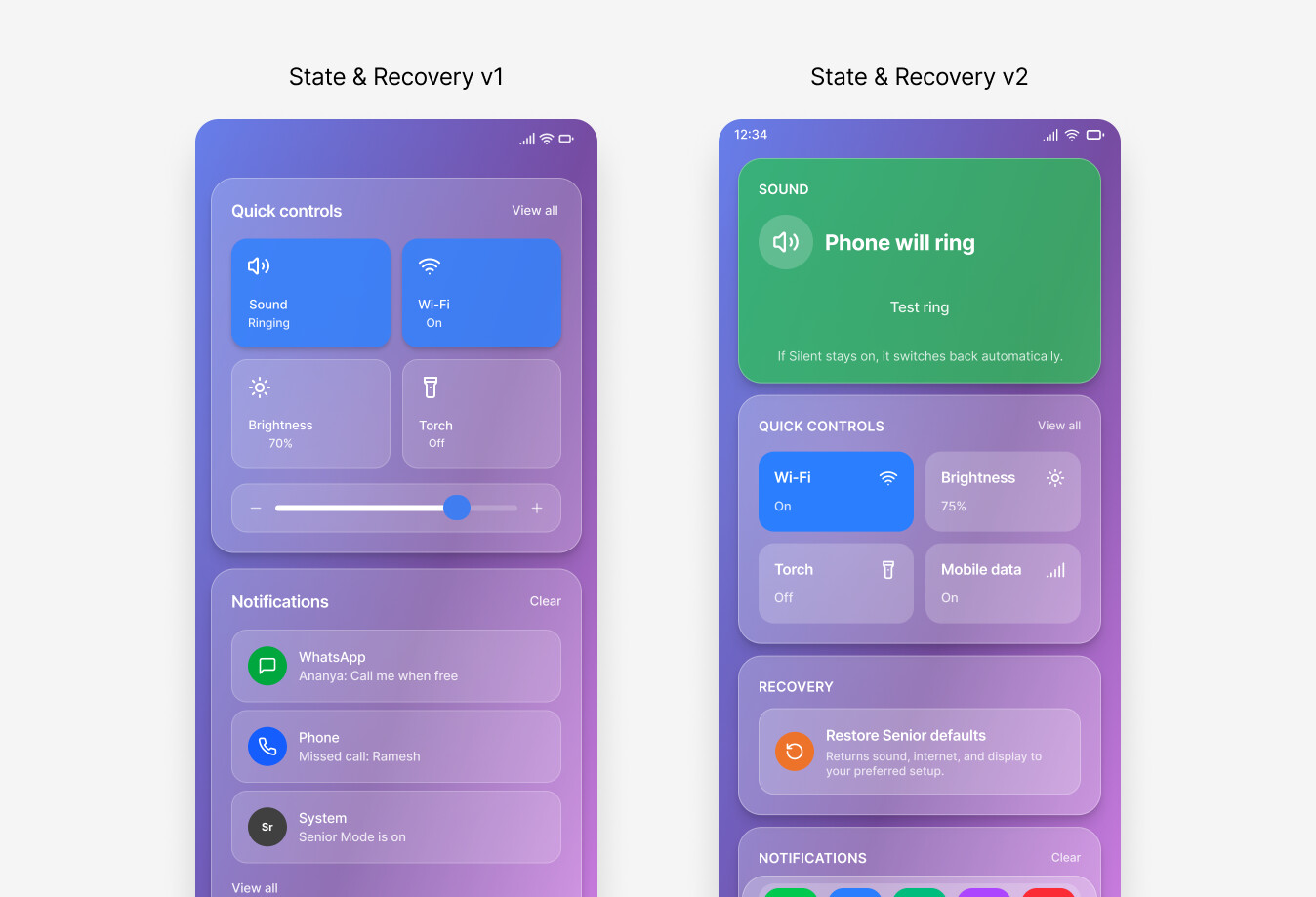
In V1, Quick Controls didn’t provide enough reassurance—Sound state felt easy to misread and Recovery didn’t feel like an immediate fallback.
Elevated Sound into a top card (“Phone will ring” + Test ring) and surfaced Restore Senior defaults as a clear, one-swipe-away safety net.
Made the Sound action unmistakable (and confirmable).
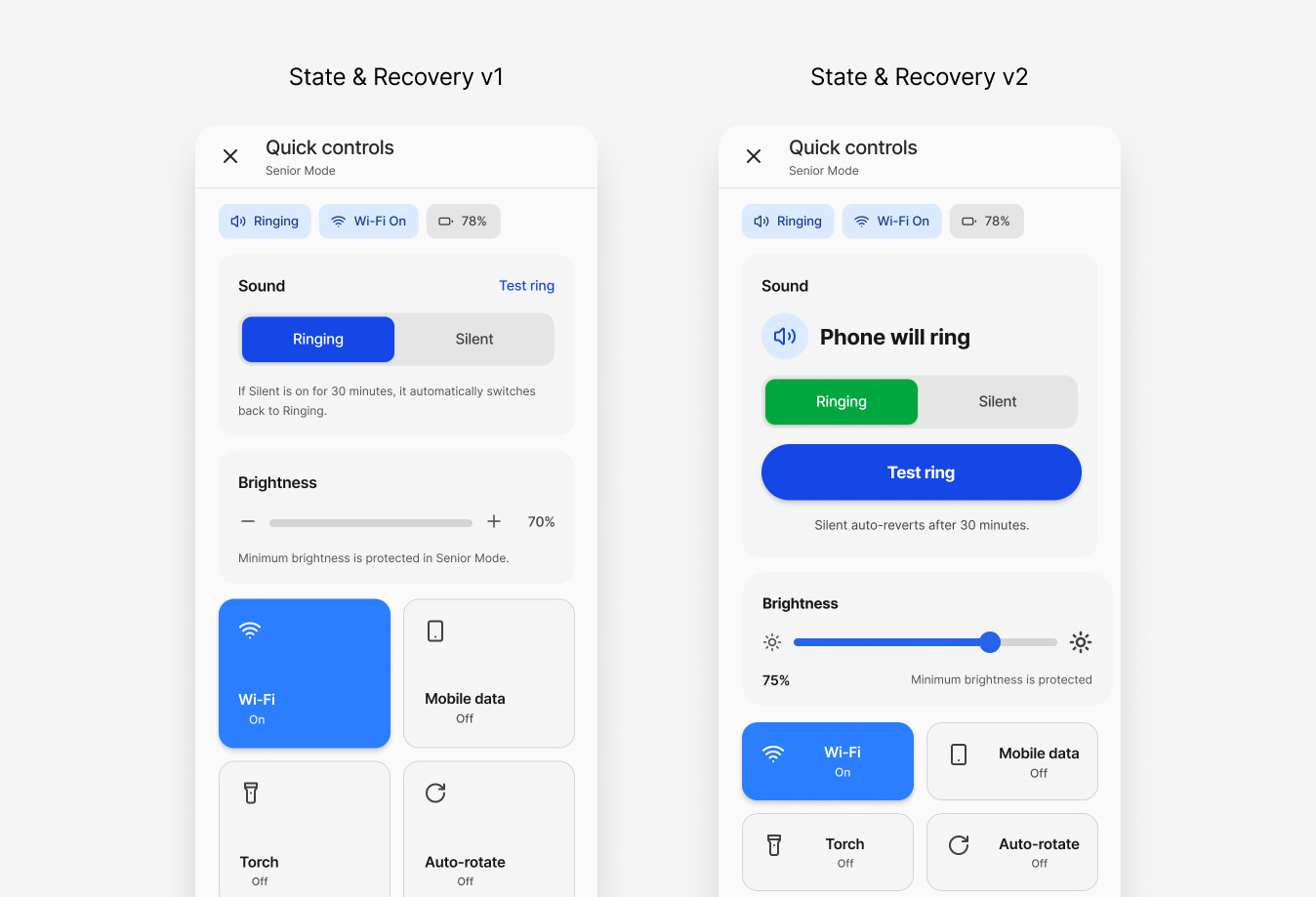
Even after finding Sound, users could still hesitate on “which option is active?” and “did it actually change?”
Made Sound label-first (“Phone will ring”), strengthened the Ringing/Silent control hierarchy, and added a prominent Test ring + visible reassurance (silent auto-reverts / restore defaults).
Made “Will my phone ring?” impossible to miss.
Seniors noticed the small “Ringing” chip, but it didn’t translate into confidence about the phone’s actual state—or what to do next.
Replaced subtle chips with a plain-language status tile (“Phone will ring”) and added an explicit Controls entry so recovery isn’t hidden.
Try hovering to fight constraints
Trust, safety, and ethics
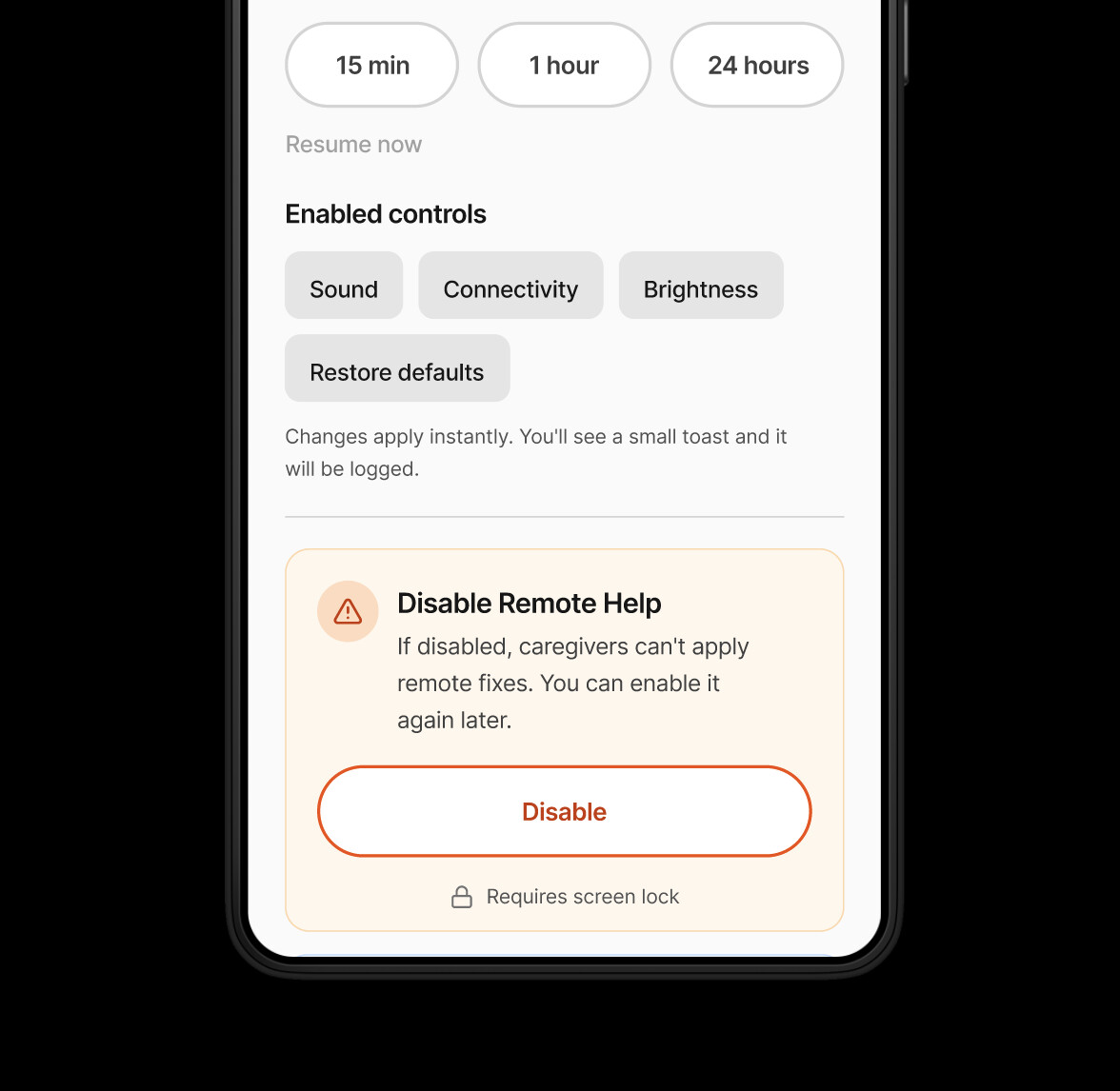
Because fixes can apply instantly (without senior consent in-the-moment), the design must communicate control and accountability:
Kill switch / disable remote help
(with authentication) so seniors can opt out at any time.
What will change
preview for higher-impact actions (recommended), while keeping instant apply for safe fixes.
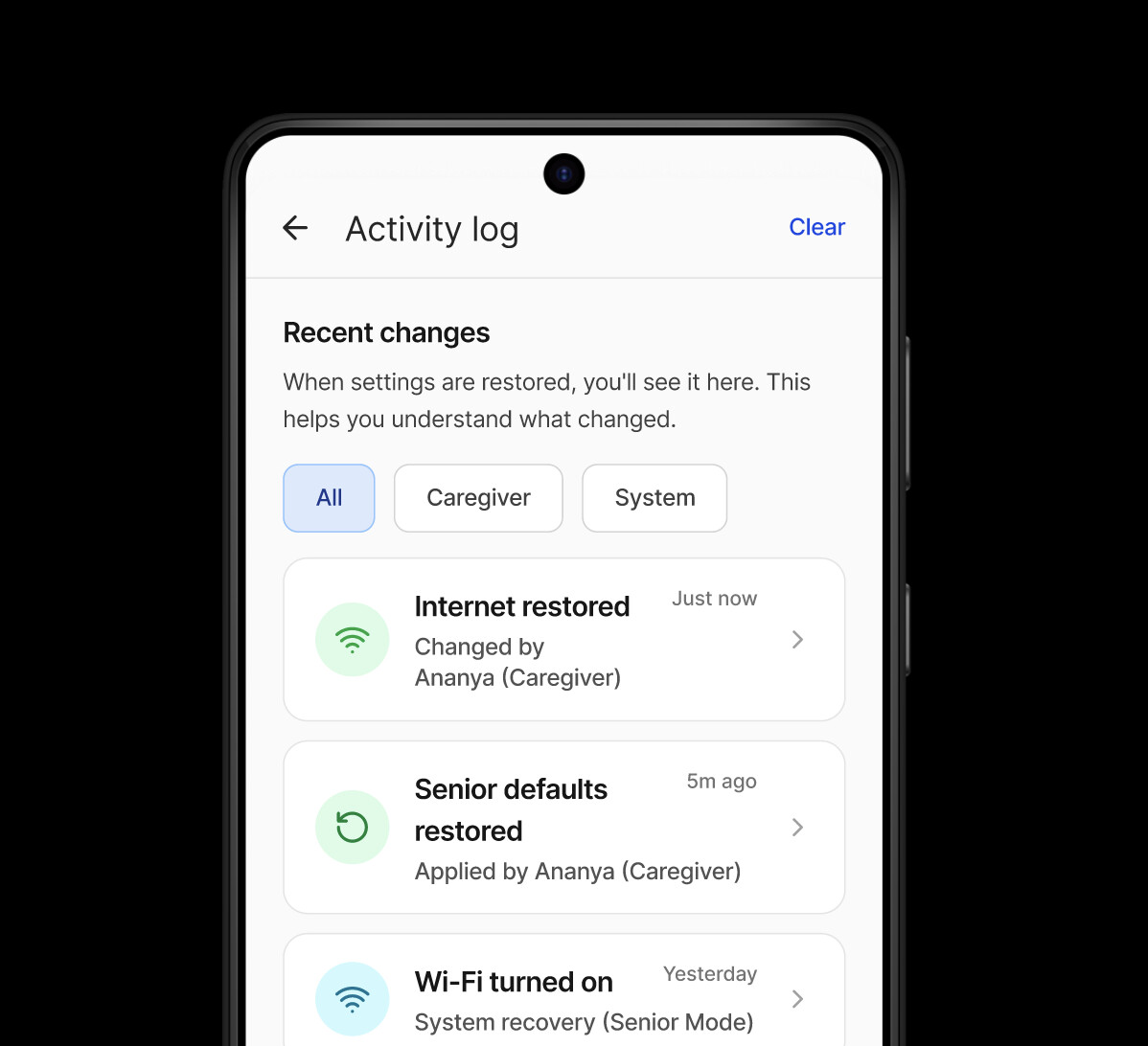
Audit trail on both devices + visible
"what the senior will see" after applying a fix.
What I built
- -Plain-language Ringing / Silent status
- -Visible Controls entry (no hidden gestures)
- -Guardrailed settings + Restore defaults
- -Request help → Sent confirmation
Reflection
What I learned
Older adults don’t struggle with “complexity” as much as invisible state and hidden interactions—designing for them means making status and next steps explicit.
What I’d do differently
I’d plan a baseline comparison on stock Android from day one and capture more structured observational notes per task (not just scores) to strengthen the story.
What’s next
Turn the concept into a lightweight spec + prototype package for an Android team (permissions model, audit/log requirements, edge cases), and validate with a slightly larger sample across device familiarity levels.